
Review faster
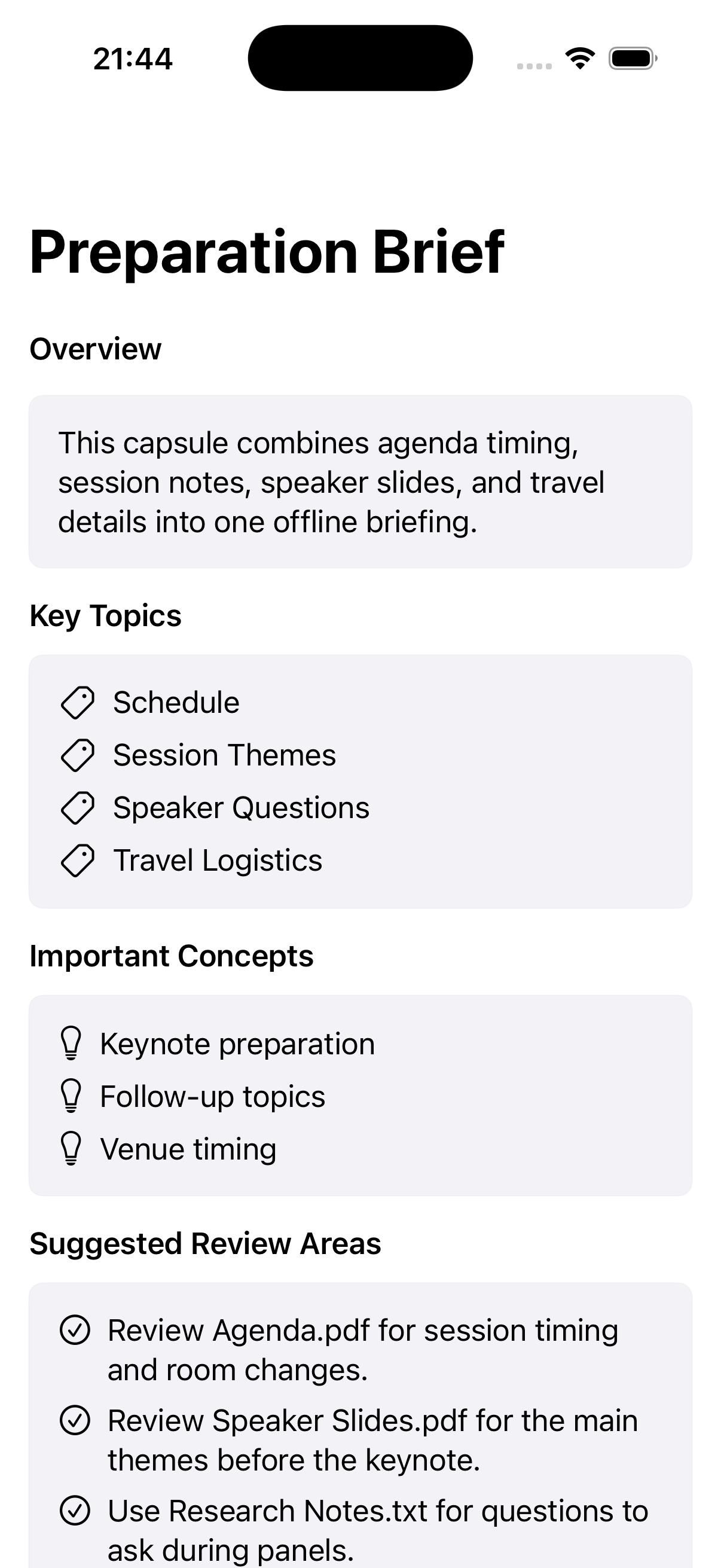
Turn selected sources into a concise Preparation Brief with topics, concepts, coverage notes, and suggested review areas.

A local preparation tool that turns selected files and images into a focused Capsule with a review brief, searchable passages, and cited answers on supported iPhones.
What if an intelligence knew the sources you selected, and nothing else?
Cato prepares user-selected material locally, keeps retrieval inside one Capsule, and makes every generated answer conditional on supporting passages and on-device model availability.
User value
Build a focused offline Capsule for a meeting, trip, lecture, study session, or field task.
Turn selected sources into a concise Preparation Brief with topics, concepts, coverage notes, and suggested review areas.
Retrieve relevant passages inside one Capsule and inspect the source behind each supported answer.
Work without an account, cloud sync, web search, analytics, or a fabricated answer when evidence is missing.
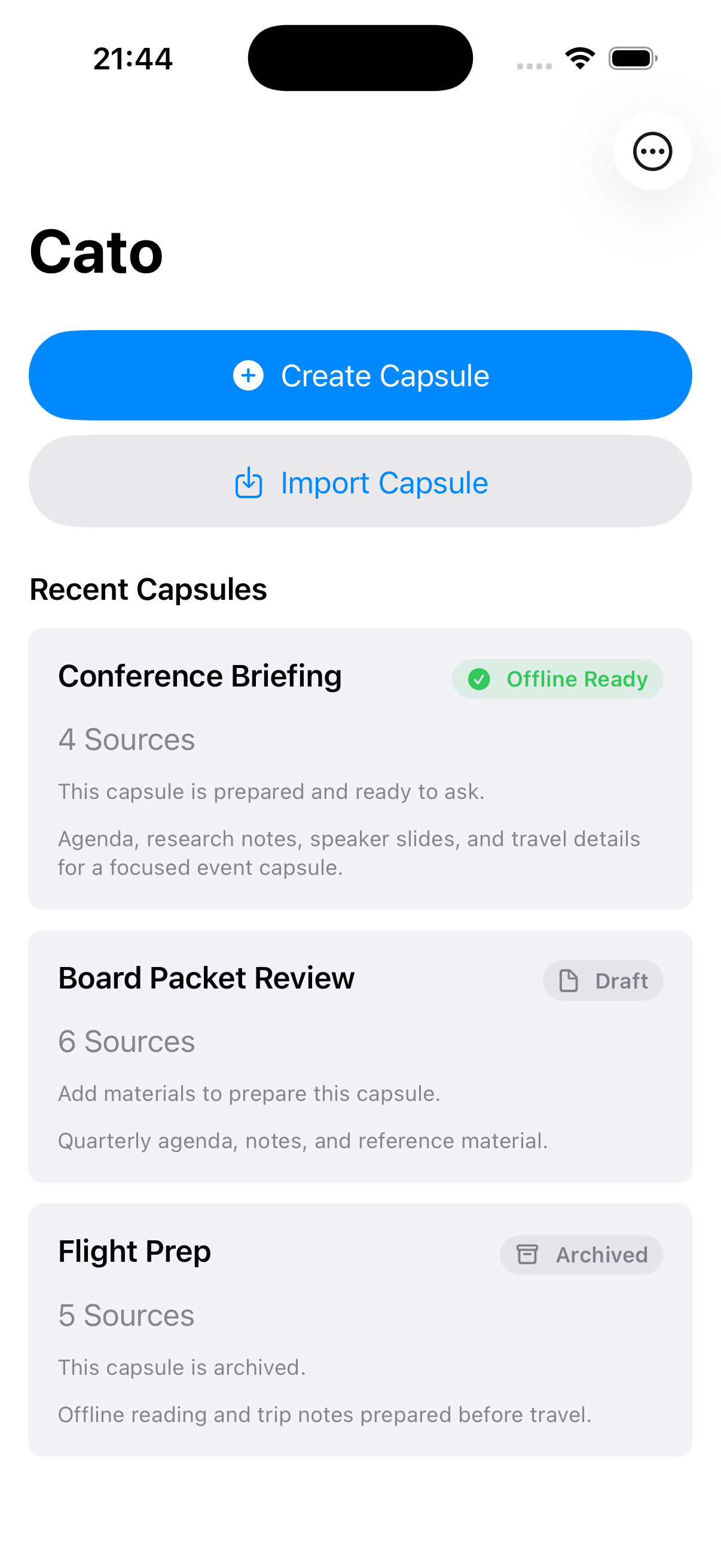 View full size
Features
The current build covers source intake, preparation, retrieval, citations, transfer, and deletion.
Add PDF and TXT files, photos, and screenshots on iPhone. The Mac companion also accepts PNG and JPEG files.
Read embedded PDF text, decode text files, and recognize text in images without a custom server.
Generate a deterministic overview, key topics, concepts, review suggestions, coverage notes, and limitations.
Search only the prepared passages inside the active Capsule and preserve their source identity.
Use Apple Foundation Models only when relevant evidence exists and the iPhone reports the model as available.
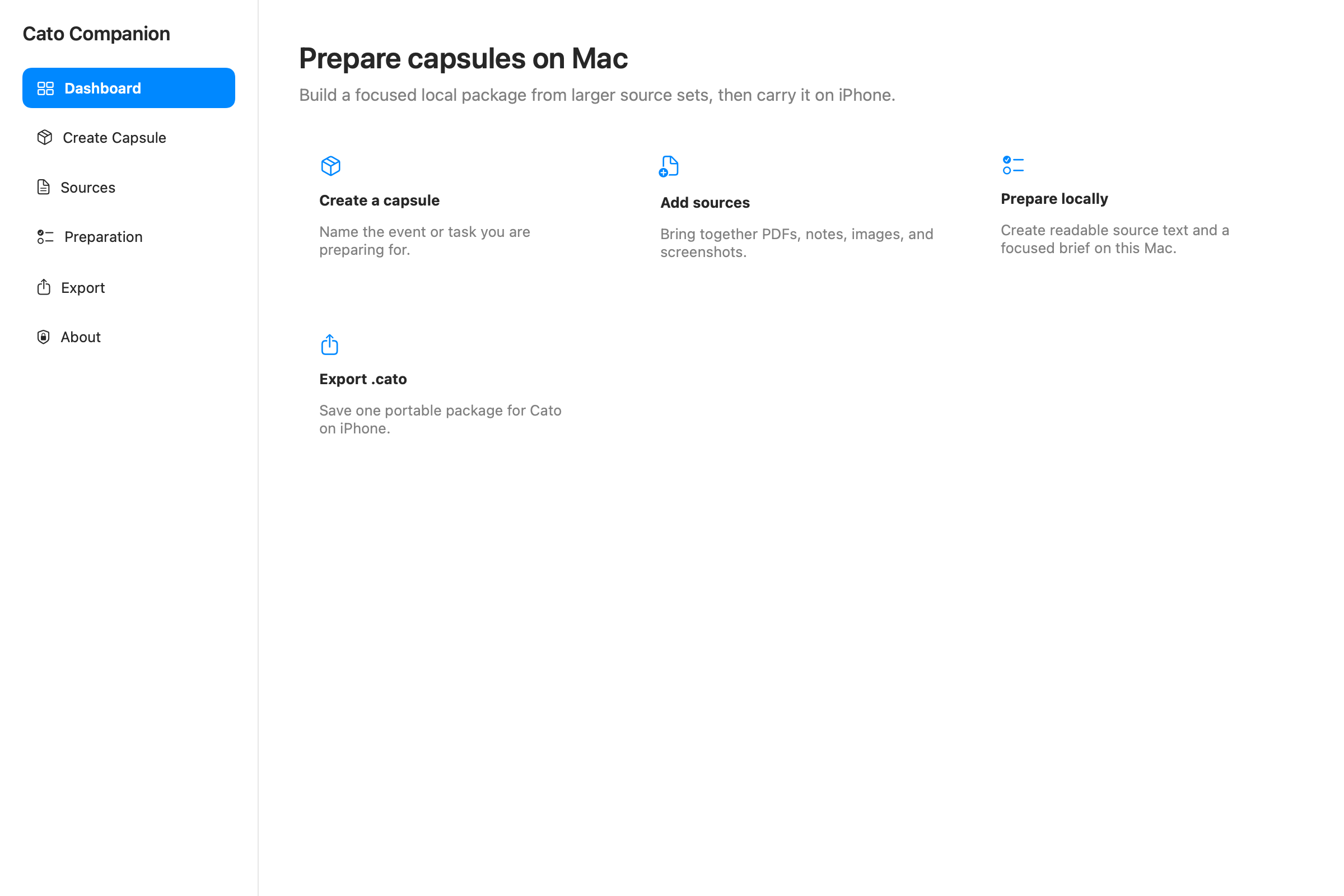
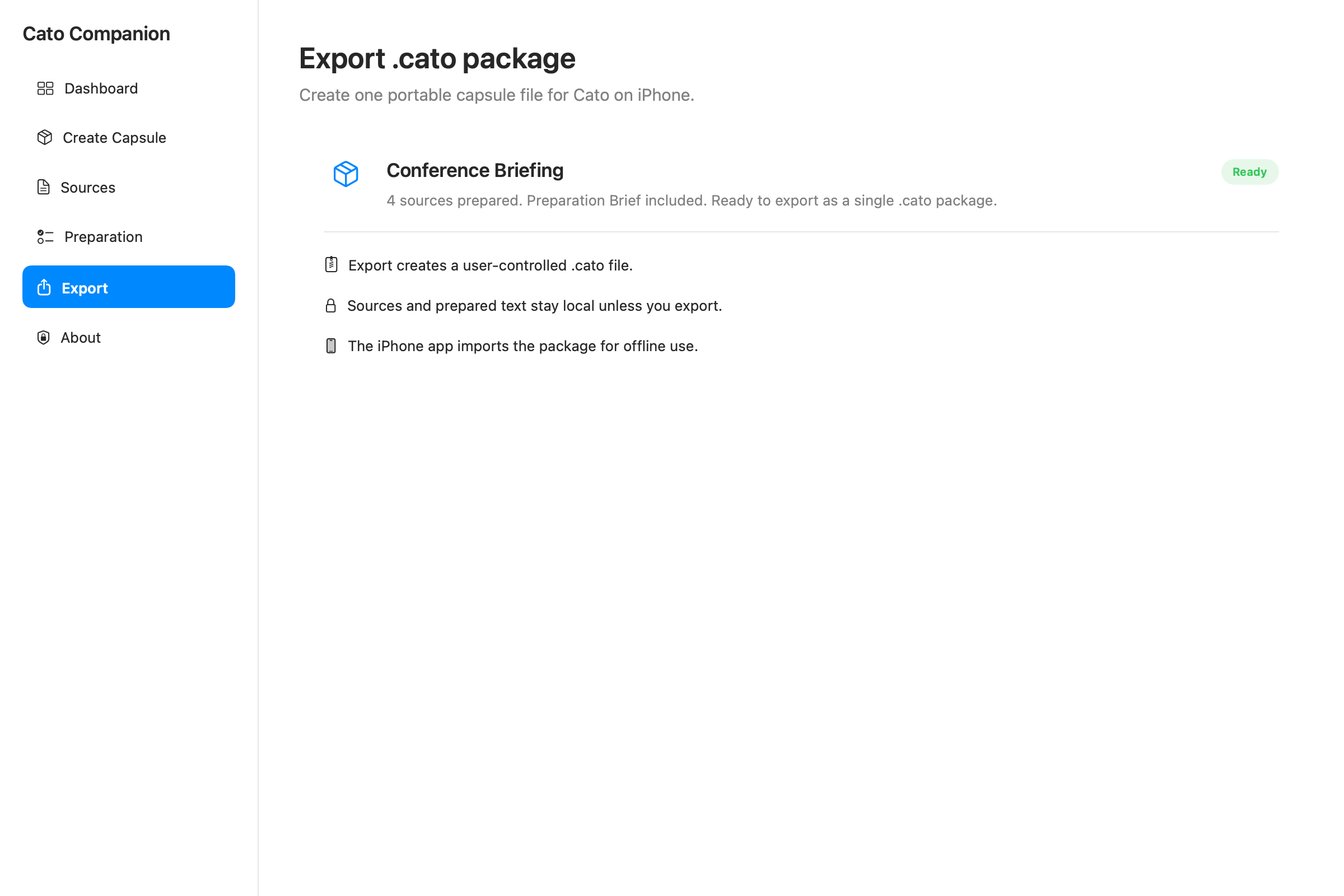
Prepare larger source sets on Mac, export one validated .cato file, and import it on iPhone through a user-chosen route.
How it works
Each step remains attached to one concrete purpose and one explicit set of sources.
Name the meeting, trip, lecture, study session, or task you are preparing for.
Choose the files and images that should define the Capsule's knowledge boundary.
Extract text, run image OCR, record source status, and build the Preparation Brief.
Read the brief or ask for a detail. Retrieval looks only inside the active Capsule.
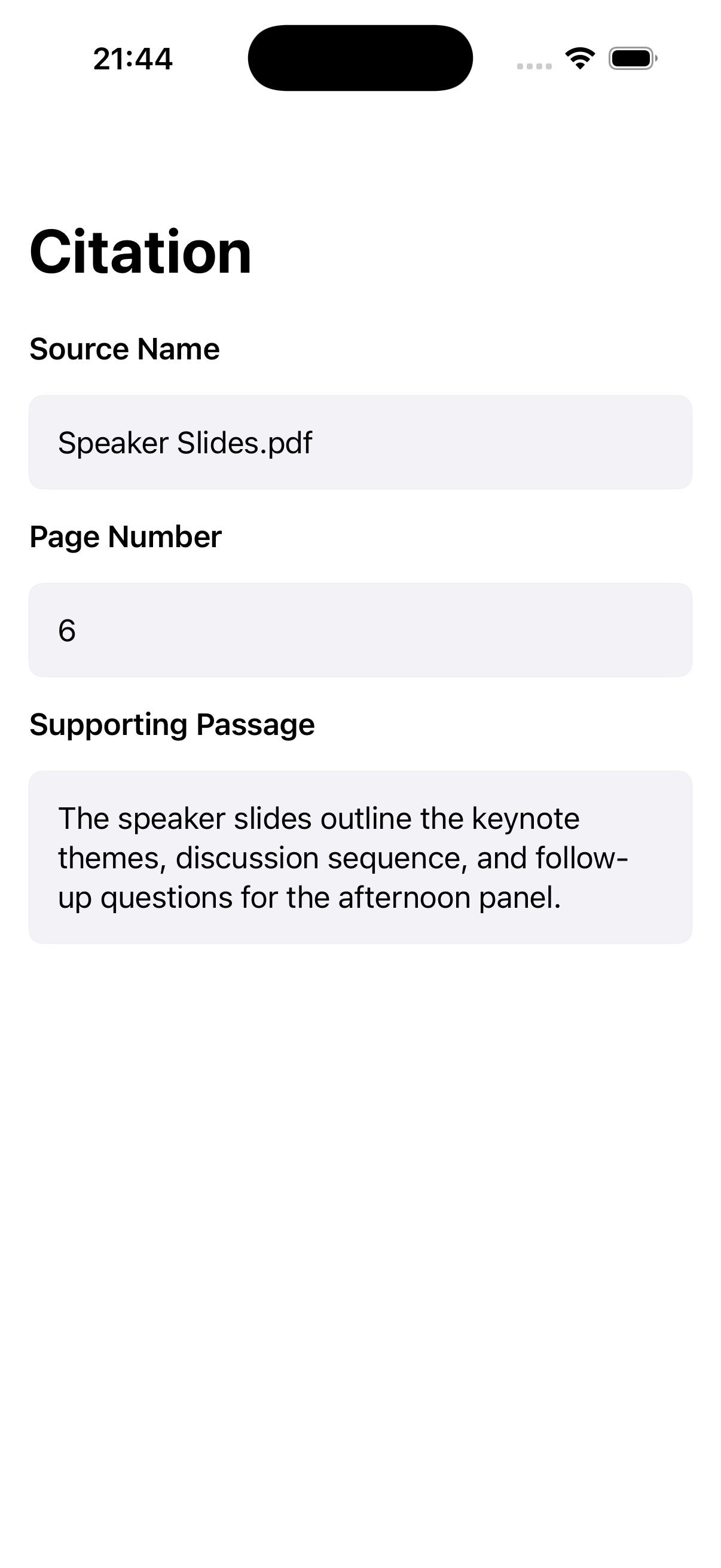
Open the cited source, page or passage label, and supporting text behind an answer.
Keep the Capsule for later, clear its conversation, export it, or delete its associated local data.
Workflow
Cato Companion handles larger local source sets and exports one user-controlled package for the iPhone app.
 View full size
 View full size
Current interface
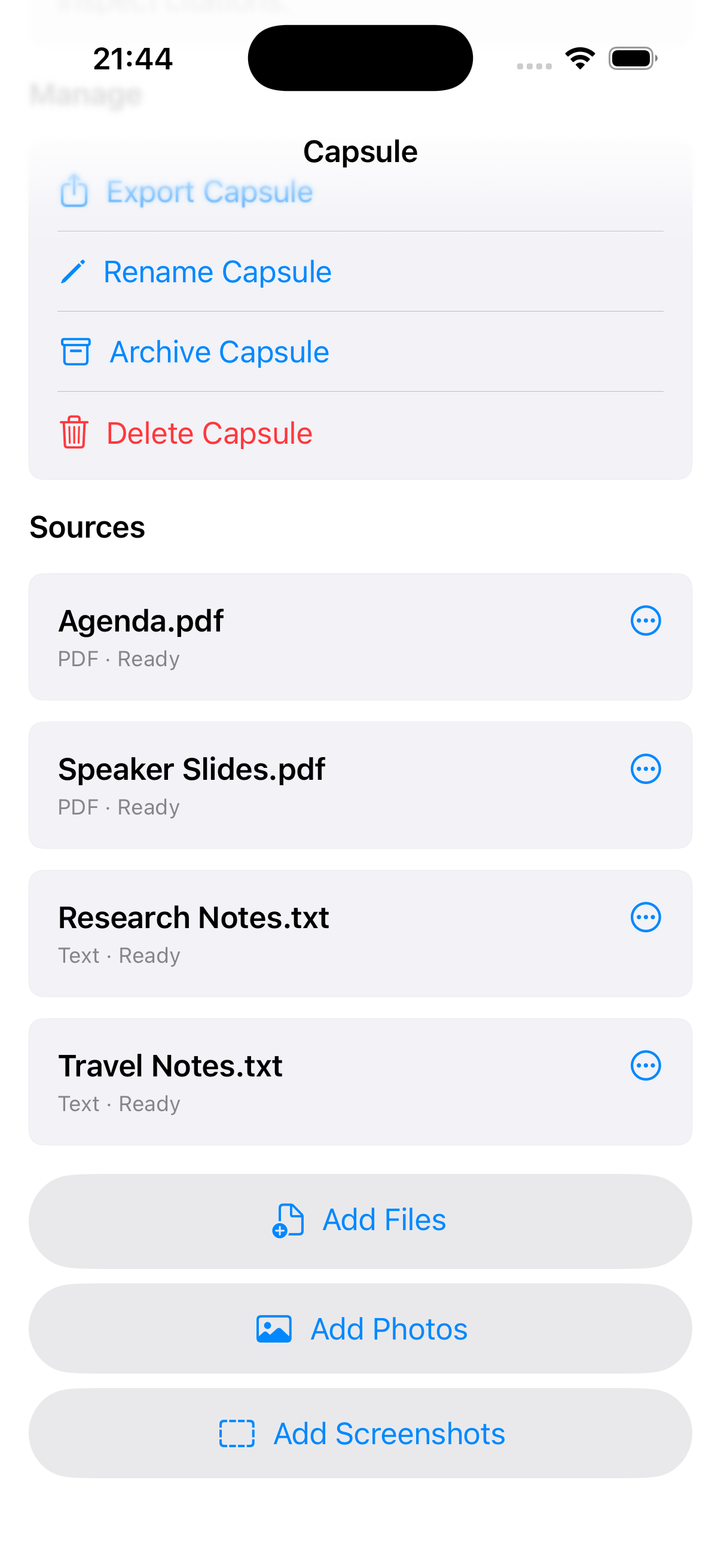
Simulator fixtures show the implemented flow. Physical-device validation and final release captures remain pending.
 View full size
See every selected source and its processing state in one place.
 View full size
Start with the overview, key topics, concepts, and suggested review areas.
 View full size
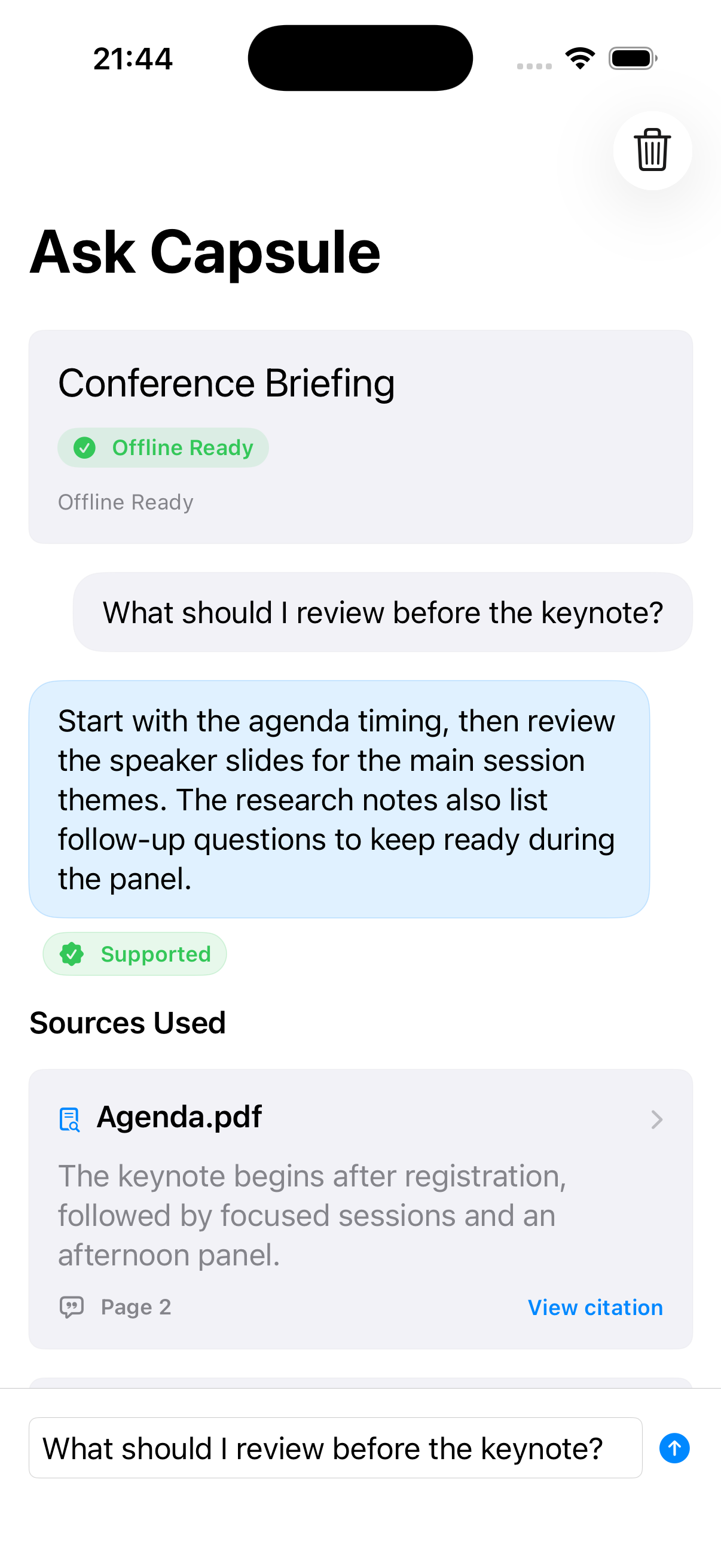
Receive a response only when local retrieval finds support and on-device answering is available.
 View full size
Open the source name, page number, and passage used to support the answer.
Product concept
The Capsule defines what Cato stores, prepares, retrieves, cites, transfers, archives, and deletes.
A Capsule exists for one event or task instead of becoming a permanent archive of everything the user knows.
Retrieval must find supporting passages before on-device generation is allowed to produce a response.
A Capsule can be prepared, carried, checked, archived, exported, and removed when its purpose is over.
Architecture
Deterministic extraction, briefing, retrieval, citations, package validation, and deletion surround one optional on-device generation step.
Metadata, sources, extracted text, briefs, retrieval, citations, conversations, packages, and deletion retain the Capsule boundary.
Preparation Briefs, lexical retrieval, citations, package checks, storage accounting, and deletion do not depend on a language model.
If evidence is insufficient or Apple Foundation Models are unavailable, Cato reports the limitation instead of inventing a fallback answer.
The Mac companion exports a versioned package with path, byte-count, and checksum validation. Integrity checks do not imply encryption.
Technology
Development
The iPhone and Mac applications, local preparation pipeline, retrieval, citations, package transport, and lifecycle controls are working and automated tests pass. Physical-device validation, signed distribution, final privacy review, and release media remain open.
Implemented
Release focus
Validate supported and unavailable model states on physical iPhones, test real Mac-to-iPhone transfer and airplane-mode use, complete accessibility and deletion checks, resolve signing and App Store setup, and recapture final release media.
Cato lab notes
Notes about the thinking, architecture, development, and decisions behind this work.
Cato Companion took on heavier local preparation without expanding into a second general chat product.
A versioned .cato package created a visible, user-controlled alternative to account-based synchronization.
Local preparation, retrieval, and citations placed useful evidence before any model-generated answer.
Cato began with one firm boundary: a temporary package for one purpose, not a general chatbot or permanent knowledge base.
Contact Burrito’s Labs
Questions, product feedback, or something worth exploring.