
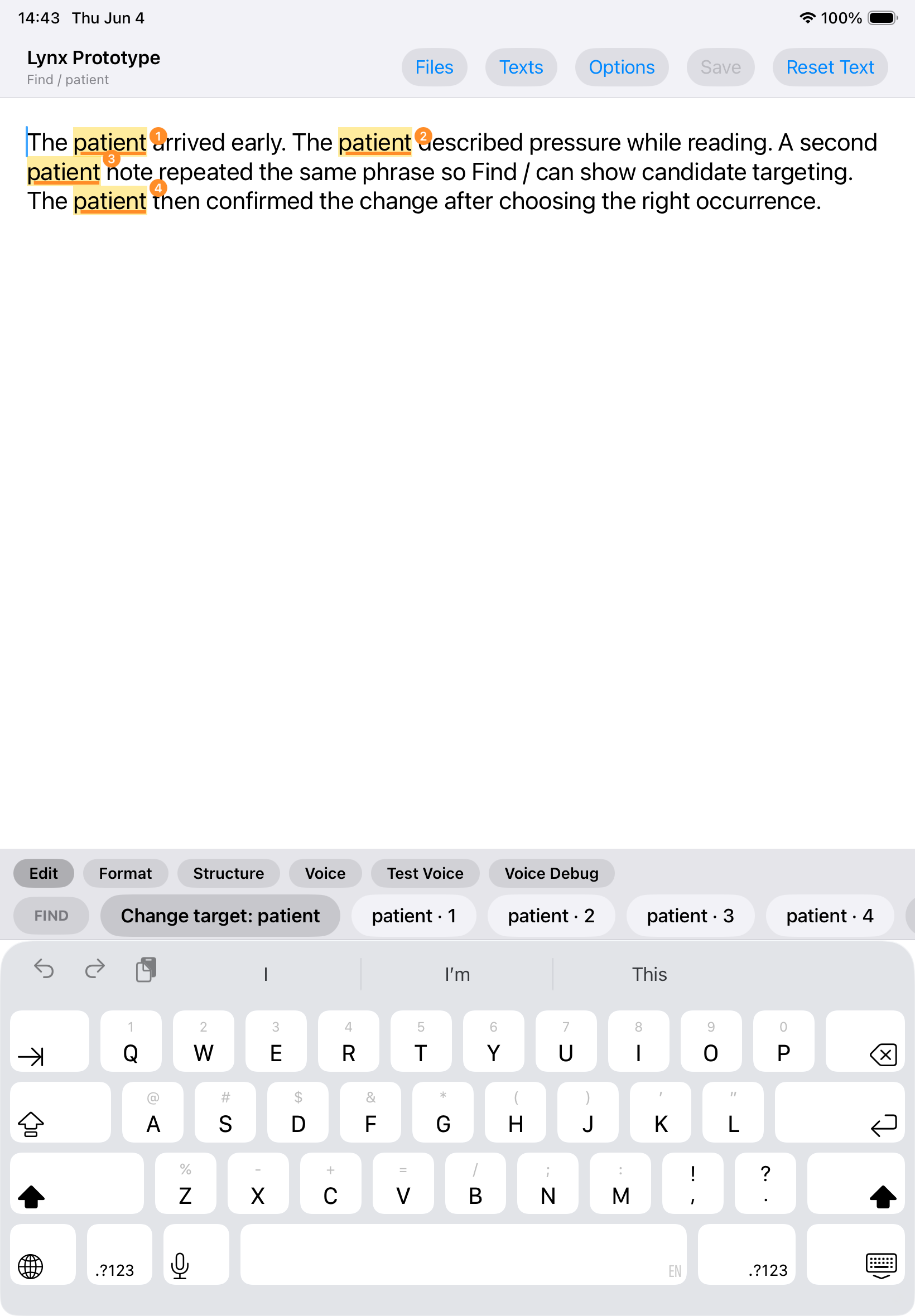
Target the right occurrence
Find highlights repeated words or phrases and turns each occurrence into a numbered choice.

A native iPad editor that combines familiar writing with precise commands, semantic documents, and local LaTeX and PDF output.
What if precise editing on iPad did not require hidden expert syntax?
Touch handles broad placement, Find identifies the exact occurrence, visible commands apply deliberate edits, and structure remains behind readable text.
User value
Write normally, then bring exact targeting and explicit commands into the moments that need them.
Find highlights repeated words or phrases and turns each occurrence into a numbered choice.
Readable Change, Delete, Select, Format, and Structure controls replace hidden command syntax.
Headings, lists, quotes, and emphasis remain semantic without exposing raw markup in the writing surface.
 View full size
Features
The current prototype connects editing, document structure, files, output, and learning in one native application.
Search repeated language, inspect highlighted matches, and choose the exact occurrence before editing.
Change, Delete, Select, Undo, Redo, Format, and Structure remain visible above the standard iPad keyboard.
Typed blocks and inline styles preserve titles, sections, paragraphs, quotes, lists, emphasis, math, and citations.
Create, autosave, organize, import, and export local documents, including eight structured starting templates.
Inspect focused or complete LaTeX source, export a .tex file, or render, preview, and share a PDF locally.
Ten primary demos teach targeting, editing, structure, undo, and output through the same action path as the editor.
How it works
Precision appears as a short, inspectable sequence rather than a permanent editing mode.
Use the standard iPad keyboard, touch cursor, and native selection behavior.
Search for the word or phrase that needs a precise edit.
Select the intended numbered candidate when the same language appears more than once.
Change, delete, select, format, or structure the chosen text with visible scope.
Synchronize the supported edit into the semantic document model and surface uncertainty when it cannot be reconciled.
Keep the document local, inspect LaTeX, or render and share a PDF.
Prototype interface
Simulator captures from the working prototype. Some editor views still show development-only voice controls and prototype naming.
 View full size
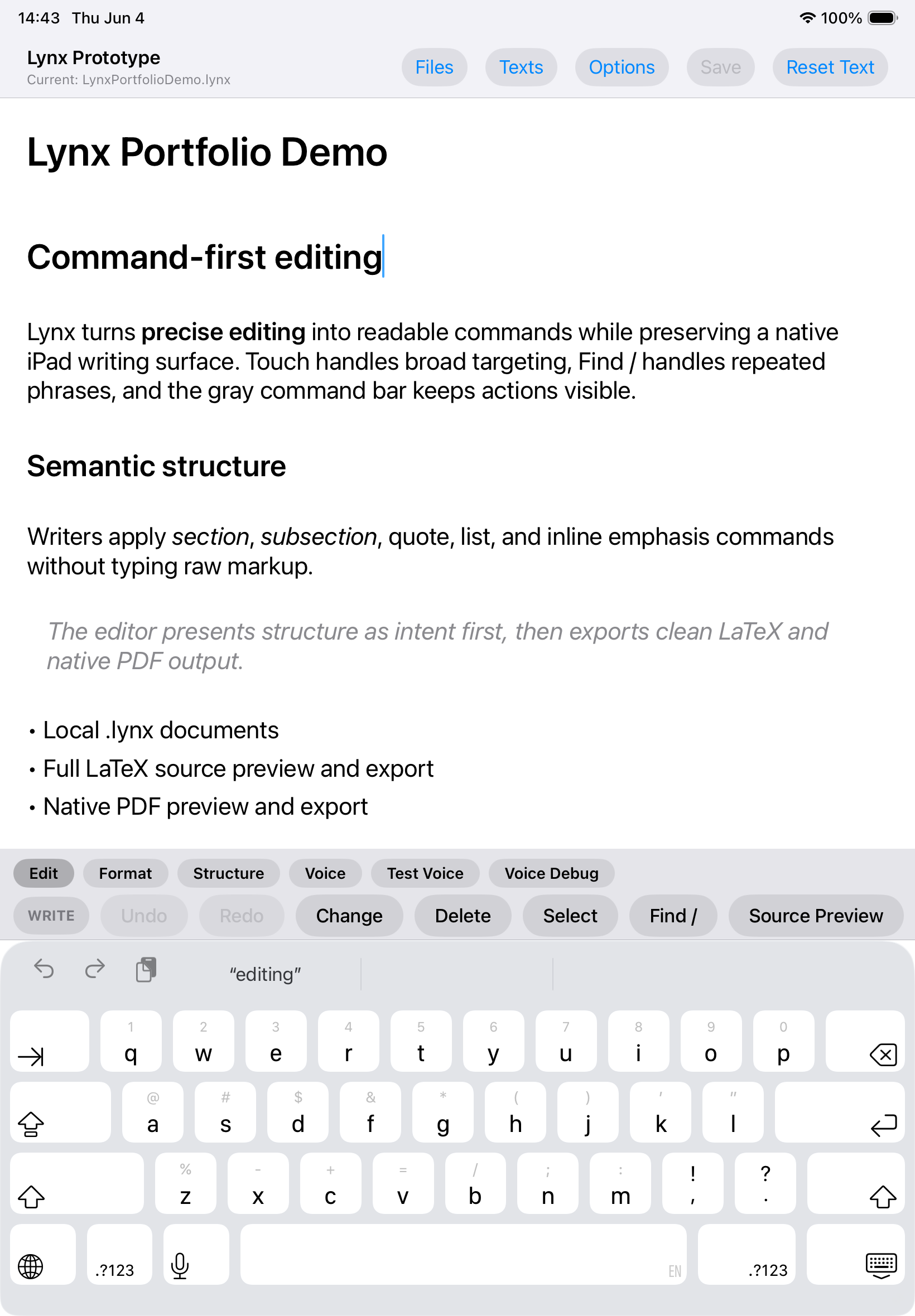
Ordinary text entry stays inside a native iPad editor with the standard keyboard.
 View full size
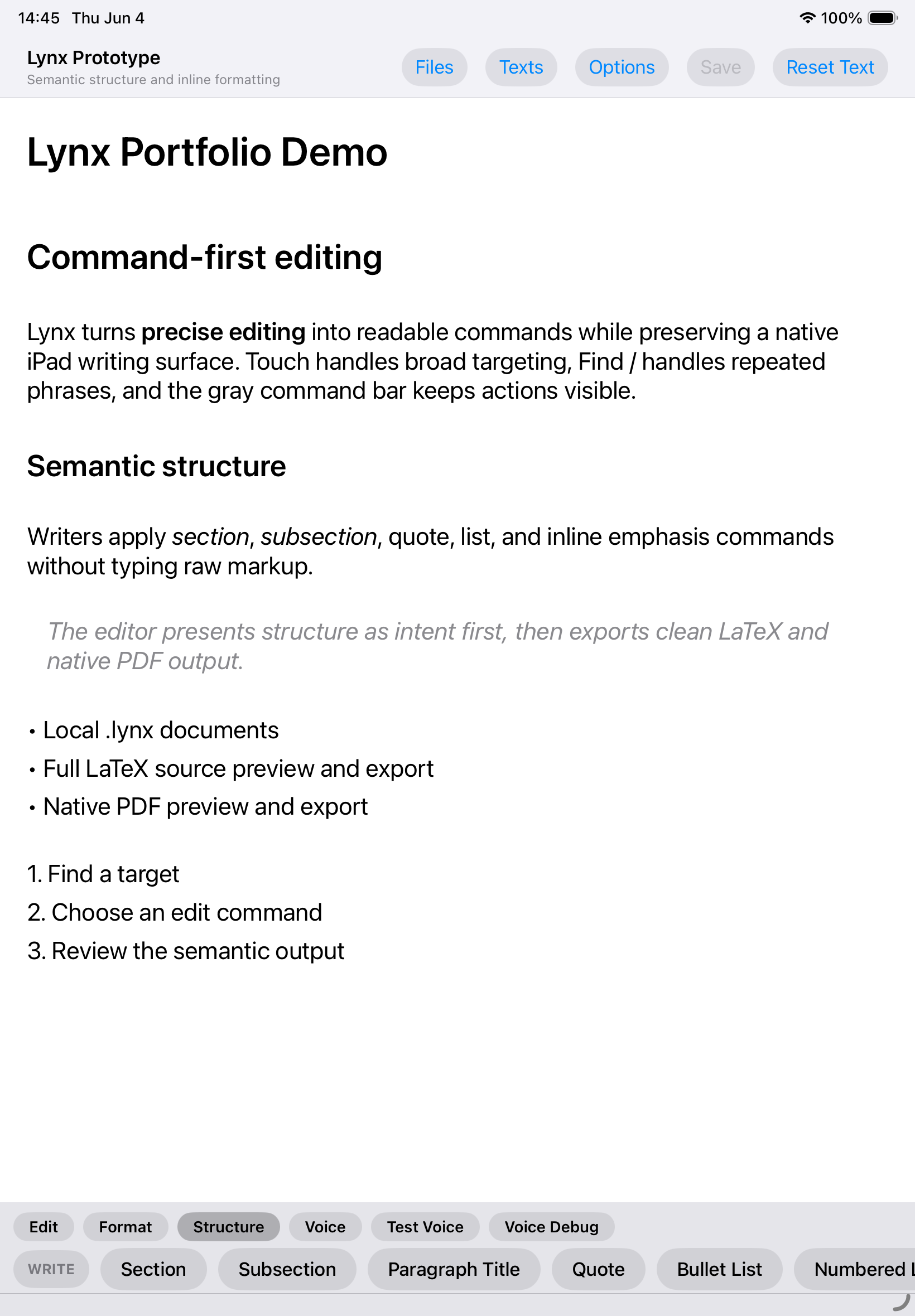
Headings, emphasis, a quote, bullets, and a numbered list render without raw markup.
 View full size
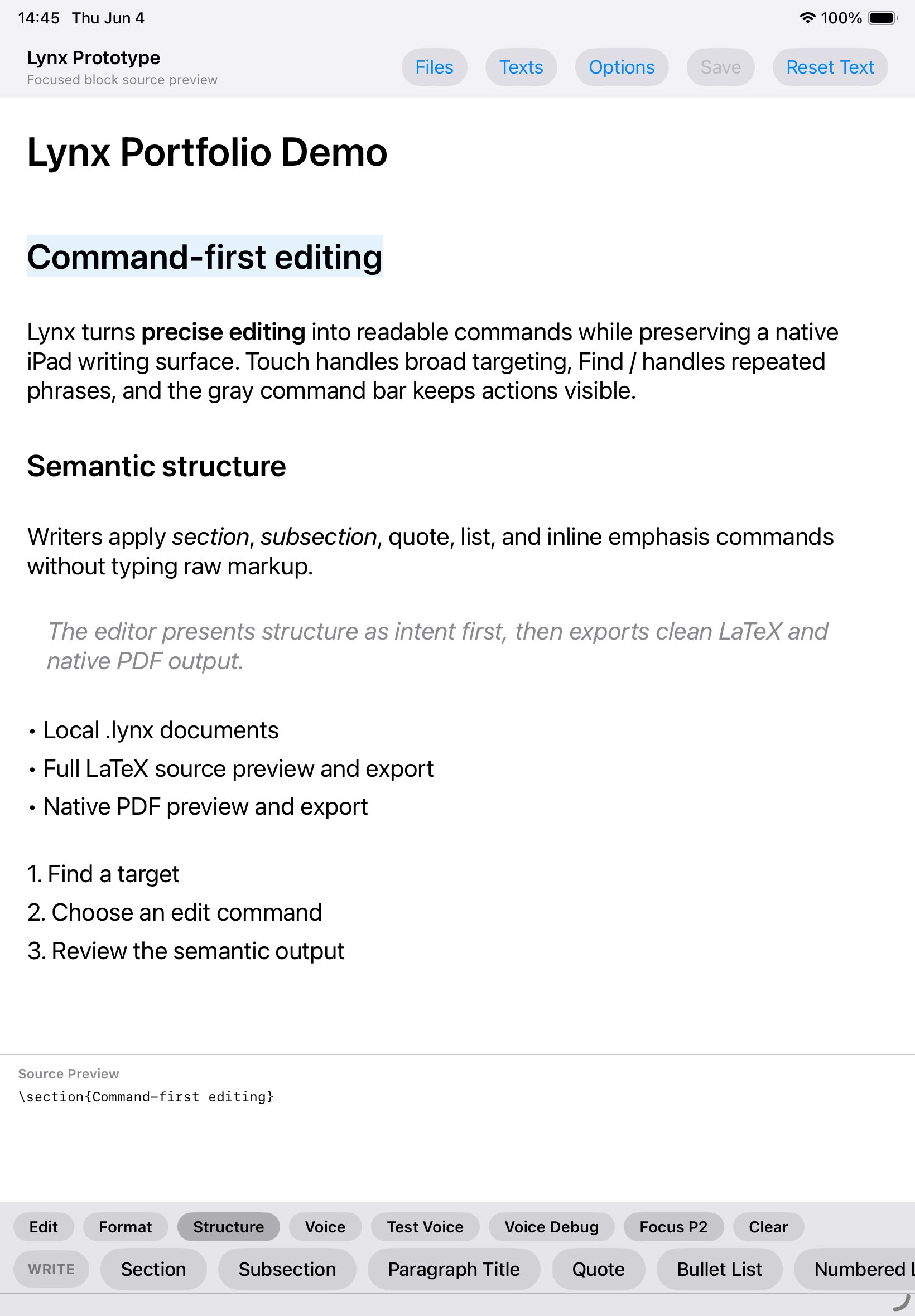
A selected heading reveals its focused LaTeX representation without turning the editor into source code.
 View full size
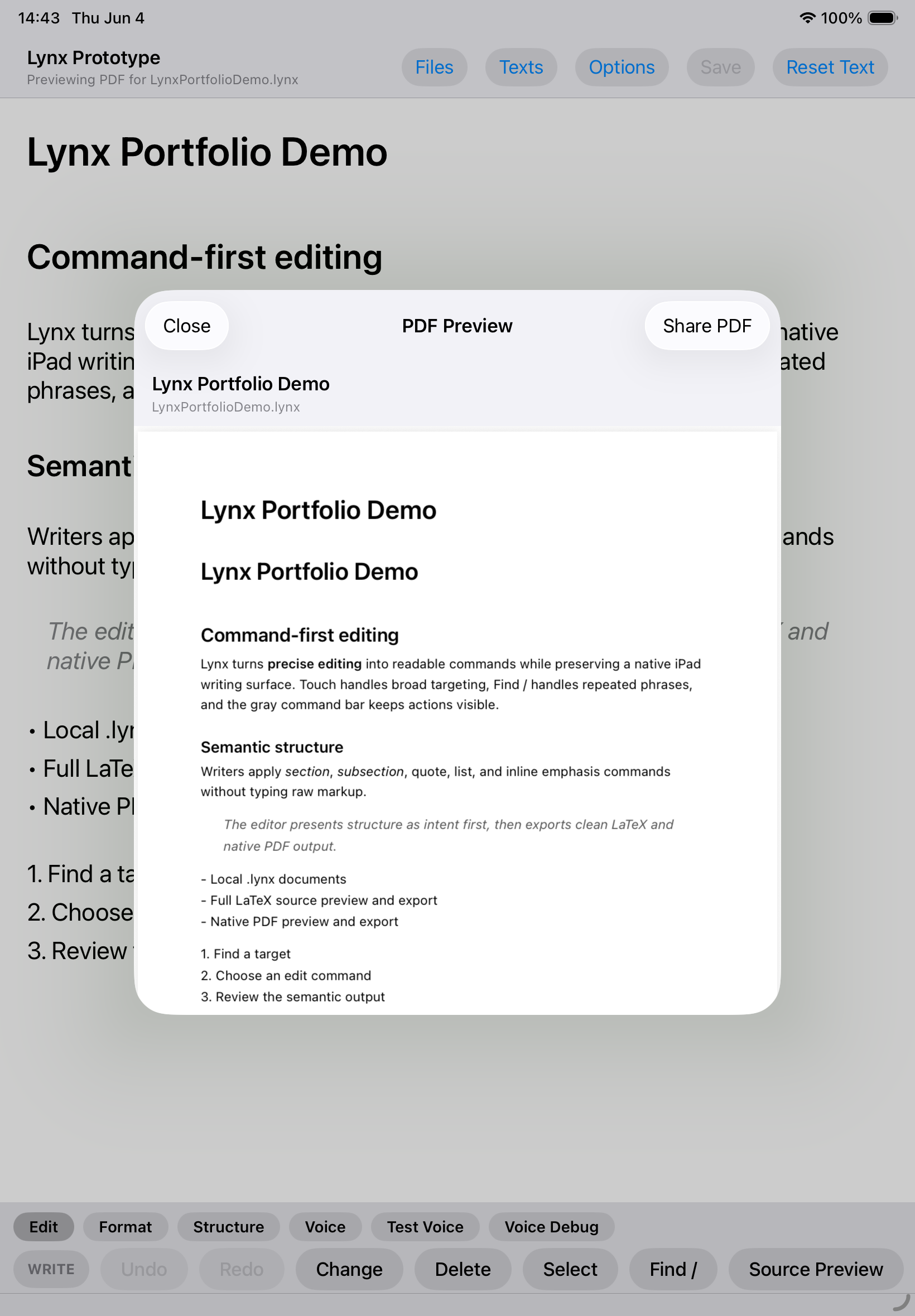
A synchronized document can be rendered, previewed, and handed to the system share sheet.
 View full size
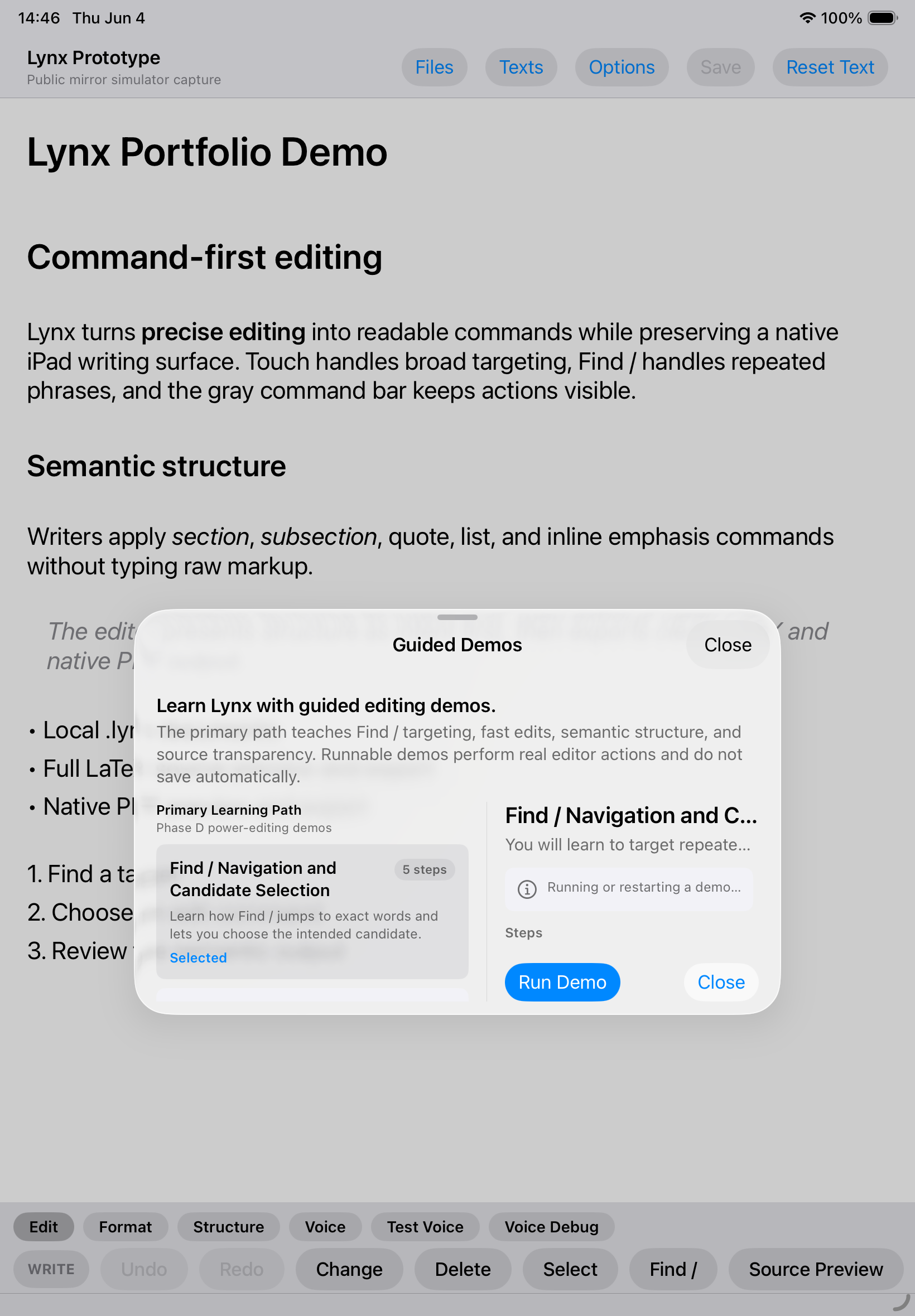
Guided scripts demonstrate the real Find, command, structure, and preview actions.
 View full size
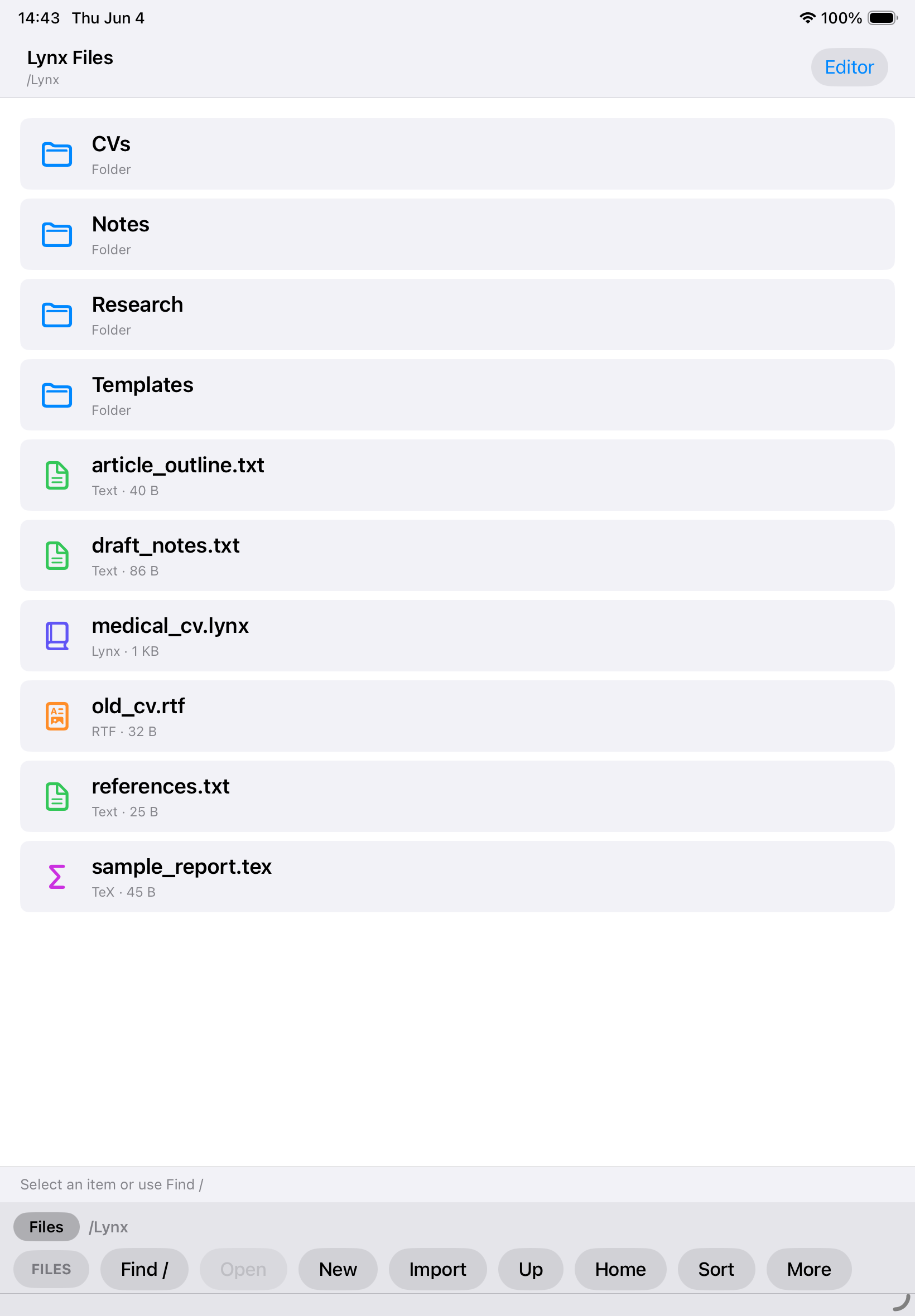
Folders, Lynx documents, and supported text files remain organized inside a local browser.
Product concept
Lynx combines command precision, semantic structure, direct touch, local files, and executable learning without reproducing any one existing editor.
Touch establishes broad intent, Find resolves the exact target, and visible commands state what will happen next.
Document meaning remains available for high-quality output without forcing writers to edit markup while composing.
Guided demos run through production editor actions, so learning tests whether the interface and command model are understandable.
Architecture
A native writing surface, deterministic command engines, and a conservative synchronizer connect the visible page to local structured output.
SwiftUI owns the product interface while UITextView preserves mature cursor, selection, keyboard, and attributed-text behavior.
Supported single-block changes update semantic state. Unsupported or uncertain changes produce an out-of-sync condition instead of silent reconstruction.
Document storage, LaTeX generation, PDF rendering, and preview require no Lynx server, account, or remote rendering service.
Voice uses Apple speech services plus deterministic parsing and confirmation. It is experimental and is not presented as an offline guarantee.
Technology
Development
Core editor, file, output, and learning workflows build and pass automated tests. Real-iPad validation, accessibility, privacy, performance, design polish, and release engineering remain incomplete.
Implemented
Before release
Finish editor edge-case hardening, run the existing manual QA on real iPads, validate accessibility, privacy, speech behavior, and long-document performance, then remove debug surfaces and complete release engineering.
Lynx lab notes
Notes about the thinking, architecture, development, and decisions behind this work.
Vim, LaTeX, visual editors, and touch interfaces have solved different parts of the same problem. Their strongest ideas deserve to meet.
Executable demos taught the real command system and became a test of whether the interface could explain itself.
Versioned local documents, LaTeX serialization, templates, and native PDF generation turned semantic state into usable output.
A second document representation preserved headings, lists, emphasis, and other meaning without placing markup in the writing surface.
The first prototype made command state and repeated-text targeting visible instead of asking writers to memorize symbolic syntax.
Contact Burrito’s Labs
Questions, product feedback, or something worth exploring.