Write and erase
Apple Pencil writes. Your index finger erases without changing tools. Two fingers move the board; pinch to zoom. Adjust line thickness with a slider and live preview.
Coming soon · iPad

Give your ideas room to grow. Write on an open canvas, talk through your thinking, and fold away the detail until you need it again.
 Burrito’s Labs · © 2026 Burrito’s Labs LLC
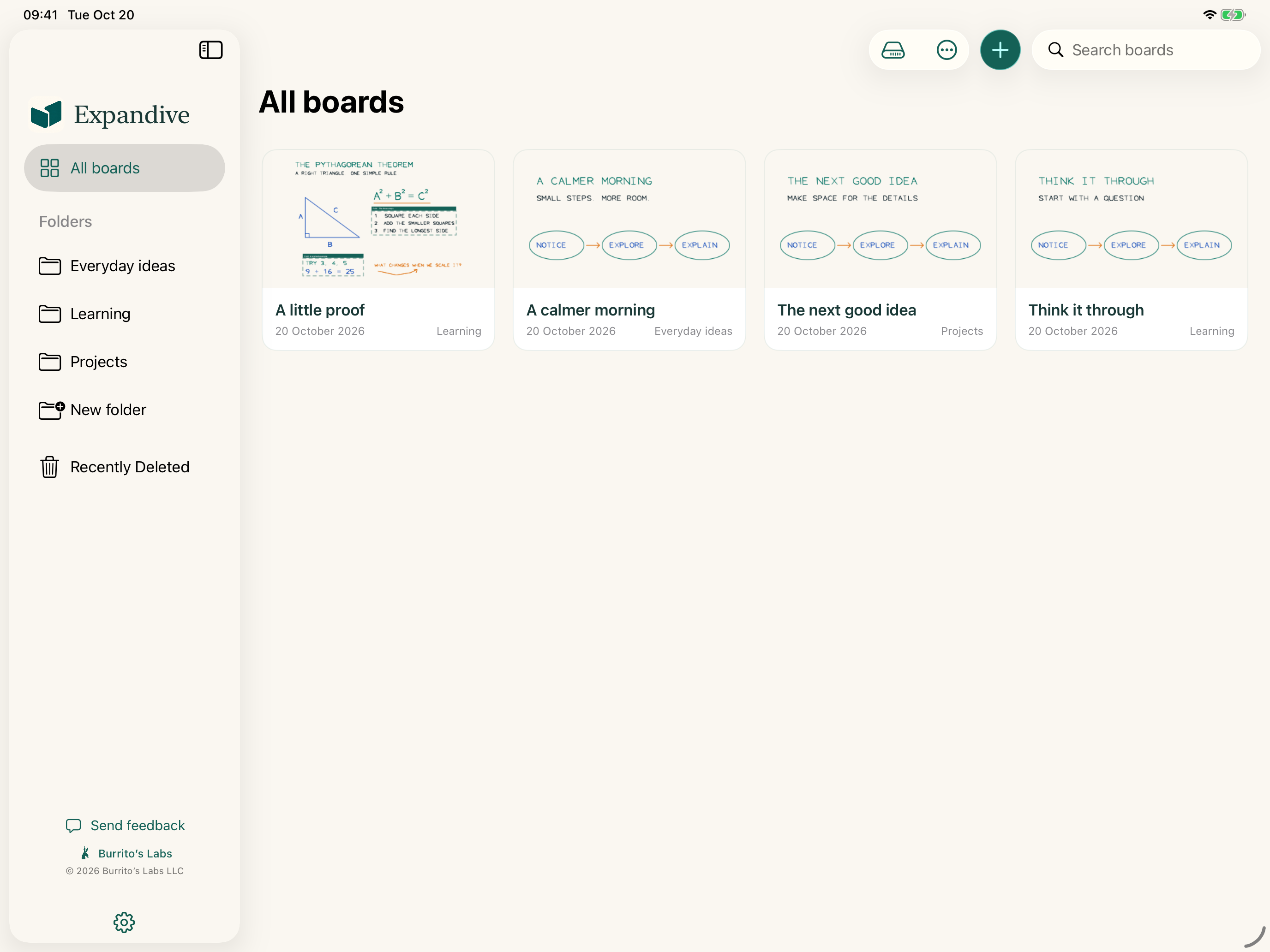
A natural rhythm
The canvas stays open while you think. Familiar tools keep the small adjustments close.
Apple Pencil writes. Your index finger erases without changing tools. Two fingers move the board; pinch to zoom. Adjust line thickness with a slider and live preview.
Lasso handwriting to move it or make an editable duplicate within the board. Add a picture, choose a colour, and undo or redo the last ten edits.
Record your writing and voice together. Replay the explanation inside the board or export a compact MP4 movie or M4A audio file on your iPad.
Less clutter, same detail
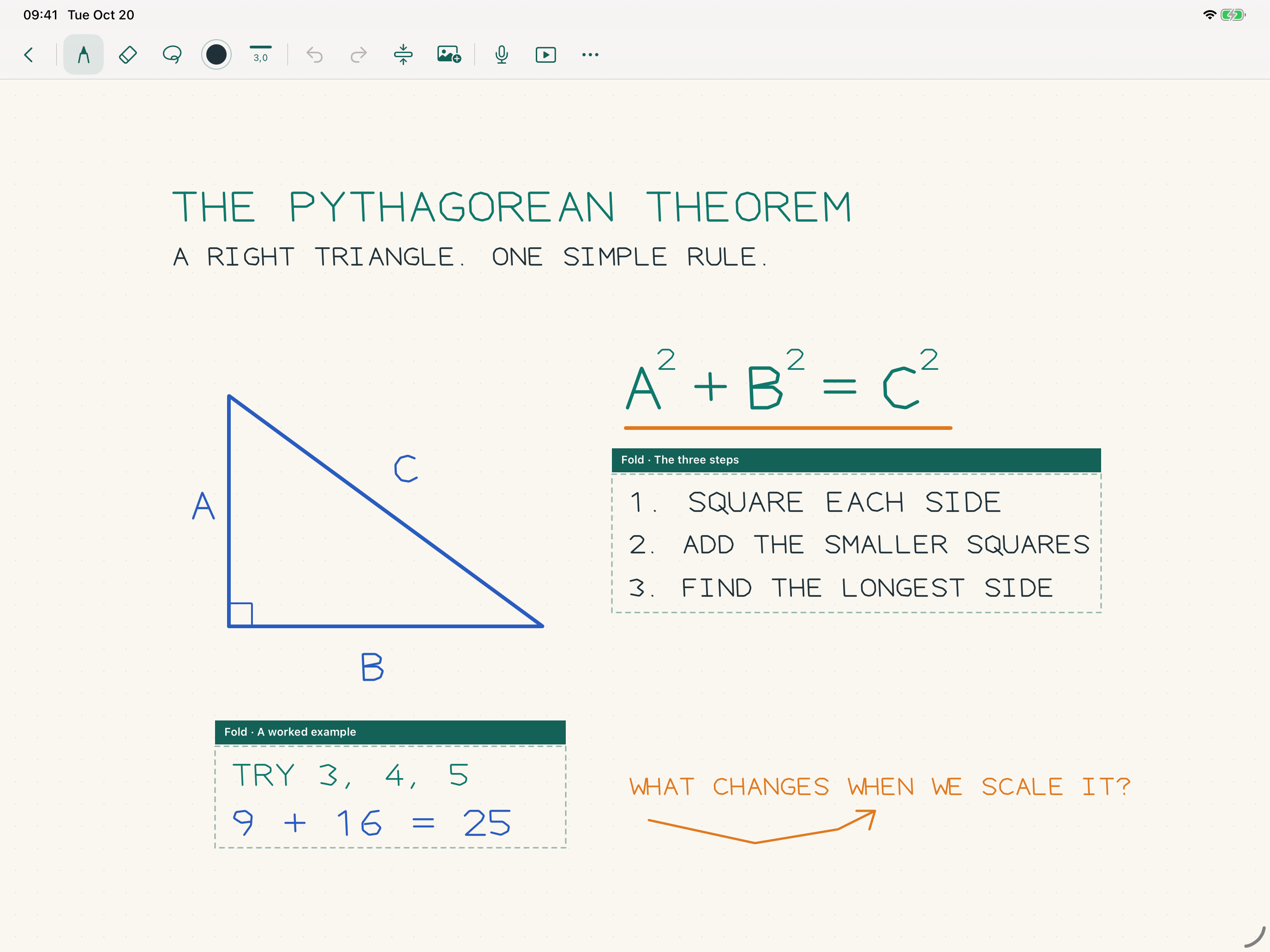
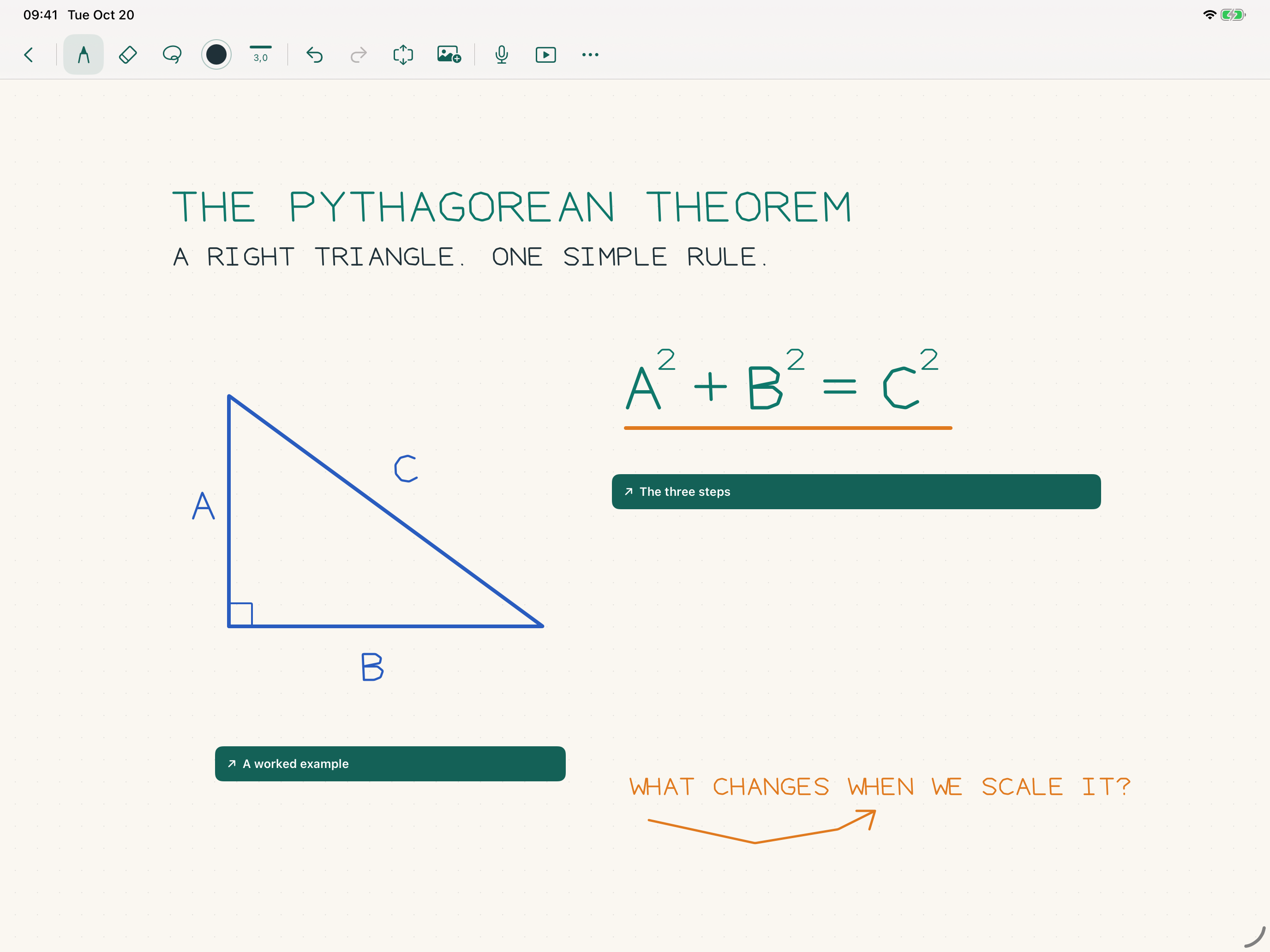
Folding is always your choice. The original handwriting stays in the board.
Draw a line along one side of the writing, spanning the part you want to fold. Vertical, horizontal, and angled lines work; the area extends perpendicular to your line.
Drag the four edge handles to adjust the area. Tap strokes or pictures to include or exclude them, then choose Fold or Cancel.
A compact strip replaces the excerpt on the canvas. Tap it to bring back the original writing. Nearby content stays where you put it.
Your board, your storage
Keep boards in Expandive’s own library, organize them in folders, and let iCloud sync them across your iPads. Work offline and sync when connected. Expandive has no account, ads, analytics SDK, or subscription in the app. Recording and export happen on the device.
Cloud storage uses the space available in your own account. The website has its own optional analytics, described in the website privacy notice.
Help & feedback
A question, an idea, a bug, or a little encouragement: send feedback directly from Expandive’s library or board menu. Add an email address if you would like a reply. Your board and recordings are never attached automatically.
Find step-by-step help in the Expandive guide, or contact hello@burritoslabs.com.
Contact Burrito’s Labs
Questions, product feedback, or something worth exploring.