
Find likely temporary items
Review suggestions from a bounded set of recent screenshots analyzed locally on the iPhone.

A local-first iPhone app that gives recent utility screenshots a review date and brings them back when they may no longer be useful.
What if temporary photos could expire without becoming an automatic deletion risk?
Bounded on-device suggestions, local expiration metadata, quiet reminders, and review-first PhotoKit deletion keep every decision with the owner.
User value
Expired helps you remember what to revisit without turning cleanup into automatic deletion.
Review suggestions from a bounded set of recent screenshots analyzed locally on the iPhone.
Track selected items with a review policy, see their lifecycle, and enable one quiet daily reminder.
Choose the expired items, confirm inside Expired, and continue through the Photos deletion boundary.
 View full size
Features
The current app connects on-device suggestions with explicit decisions, reminders, review, and deletion.
Load a bounded recent-first candidate set through PhotoKit and keep the production path limited to screenshots.
Use Vision text and barcode geometry plus deterministic rules without persisting image bytes or recognized text.
Track an item, keep it permanently, stop future suggestions, or hide it for the current session.
Group tracked items as active, expiring soon, or expired from local dates and review metadata.
Schedule one local daily summary when expired items are ready, with reminder sound off by default.
Offer deletion only for reviewed, expired, still-linked Photos items and represent cancellation, failure, and partial results.
How it works
Detection begins the process. It never owns the final action.
Choose full or limited library access through the iOS permission flow.
Expired examines a bounded recent set and skips items that are unavailable locally or not confidently classified.
Track, keep, ignore, or temporarily hide each visible suggestion.
Tracked items move from active to expiring soon and then to expired using local metadata.
Open the Inbox directly or use an optional local reminder when items are ready.
Review the eligible set before Expired asks Photos to remove anything from the library.
Current interface
Privacy-safe simulator fixtures show implemented interface states. Scanner fixtures include broader designed categories than the current screenshot-first production filter.
 View full size
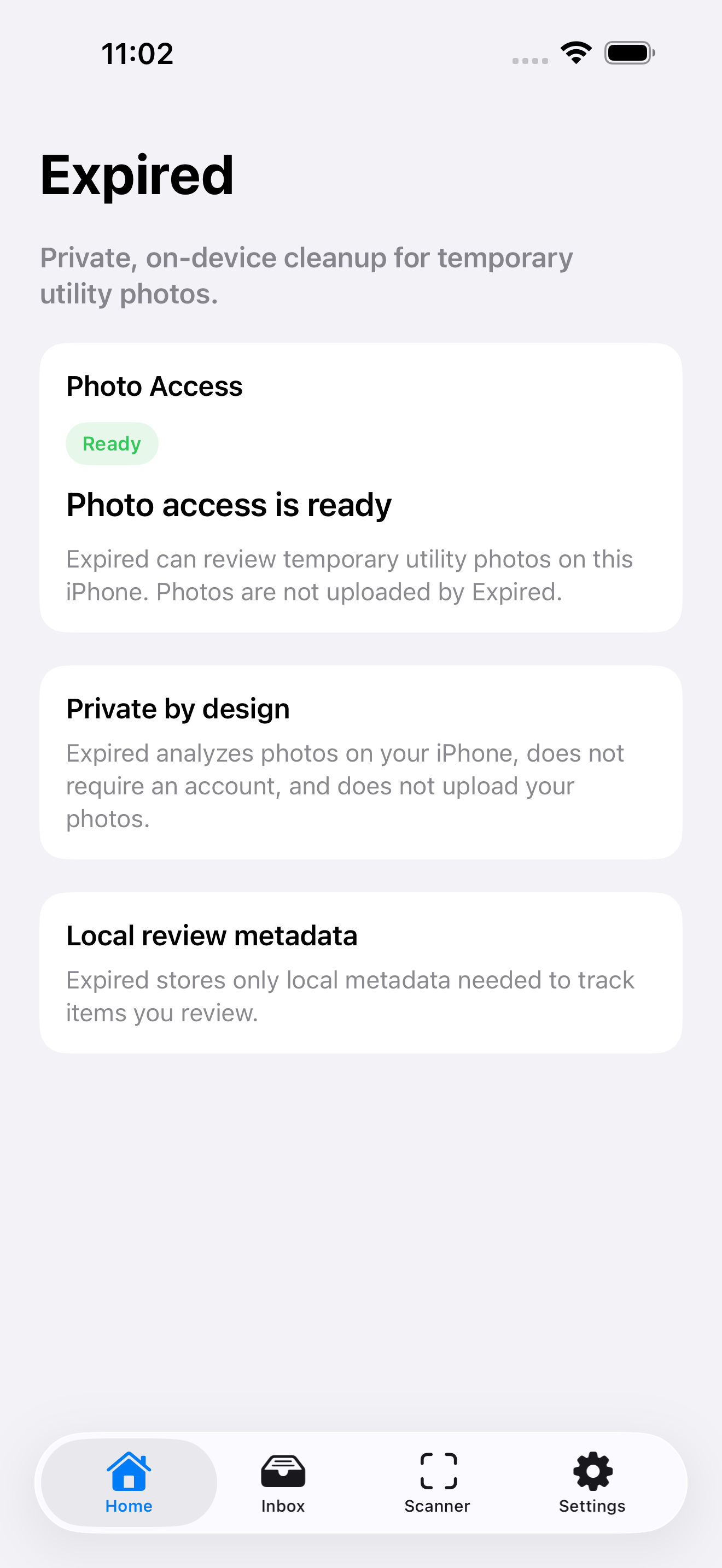
Explain Photos access, local analysis, no account requirement, and metadata-only tracking.
 View full size
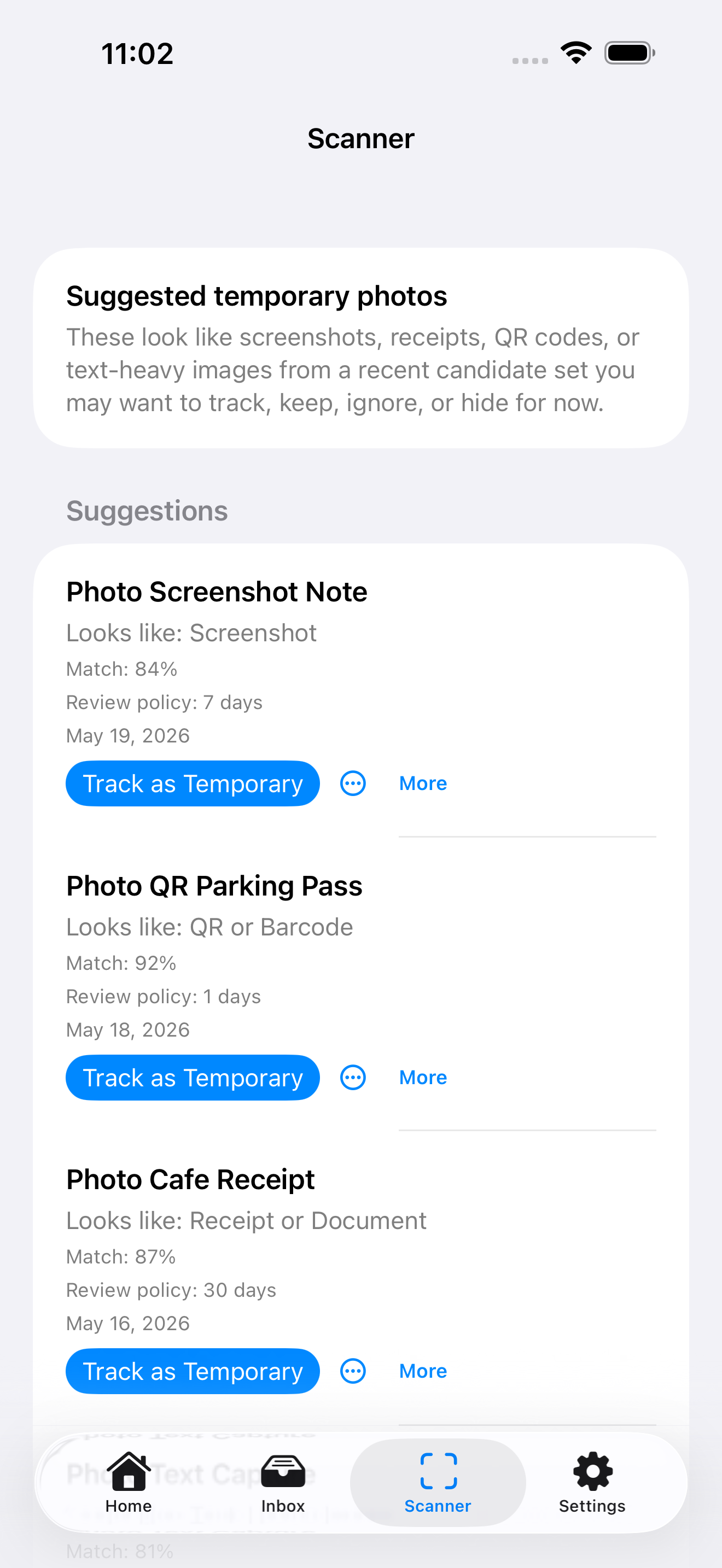
See the proposed category, confidence, review policy, and available decision for each fixture item.
 View full size
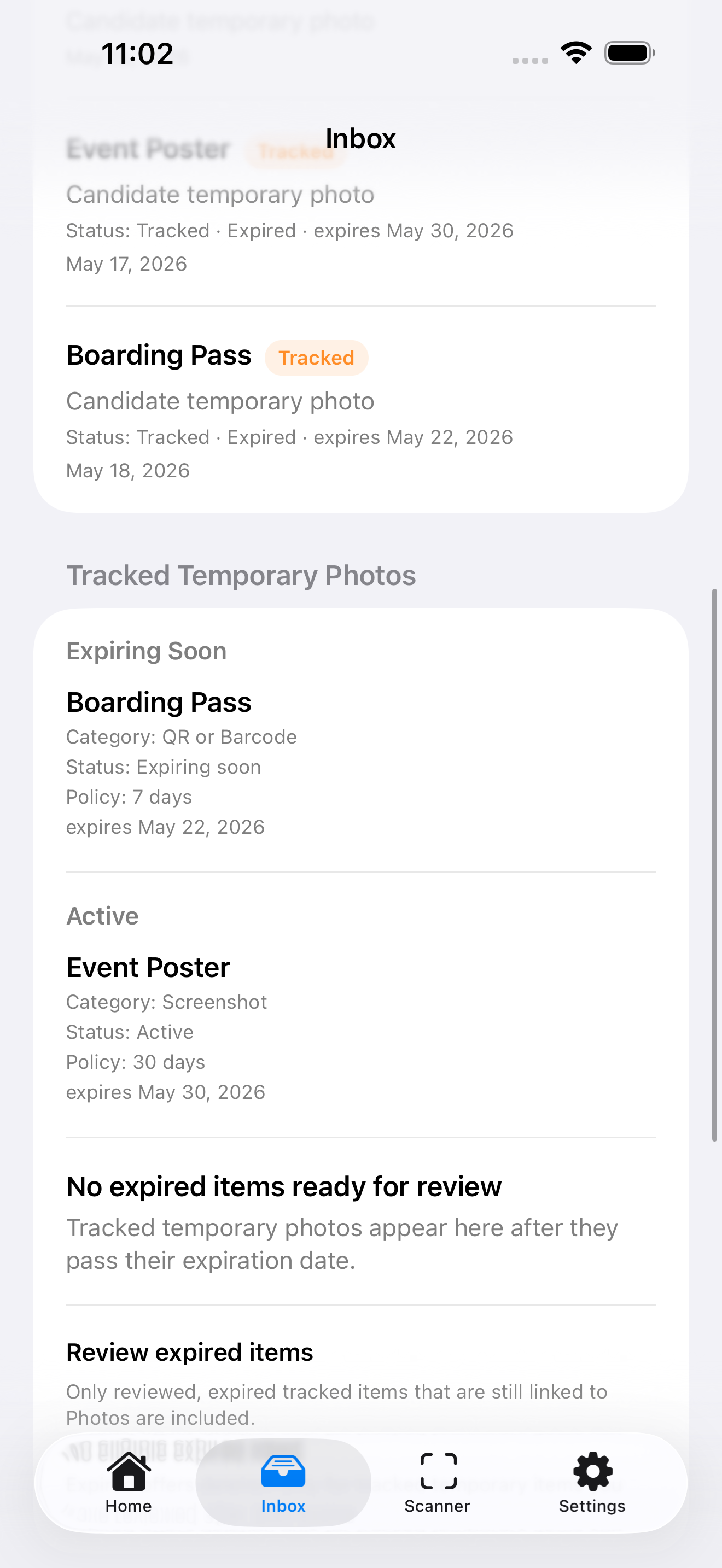
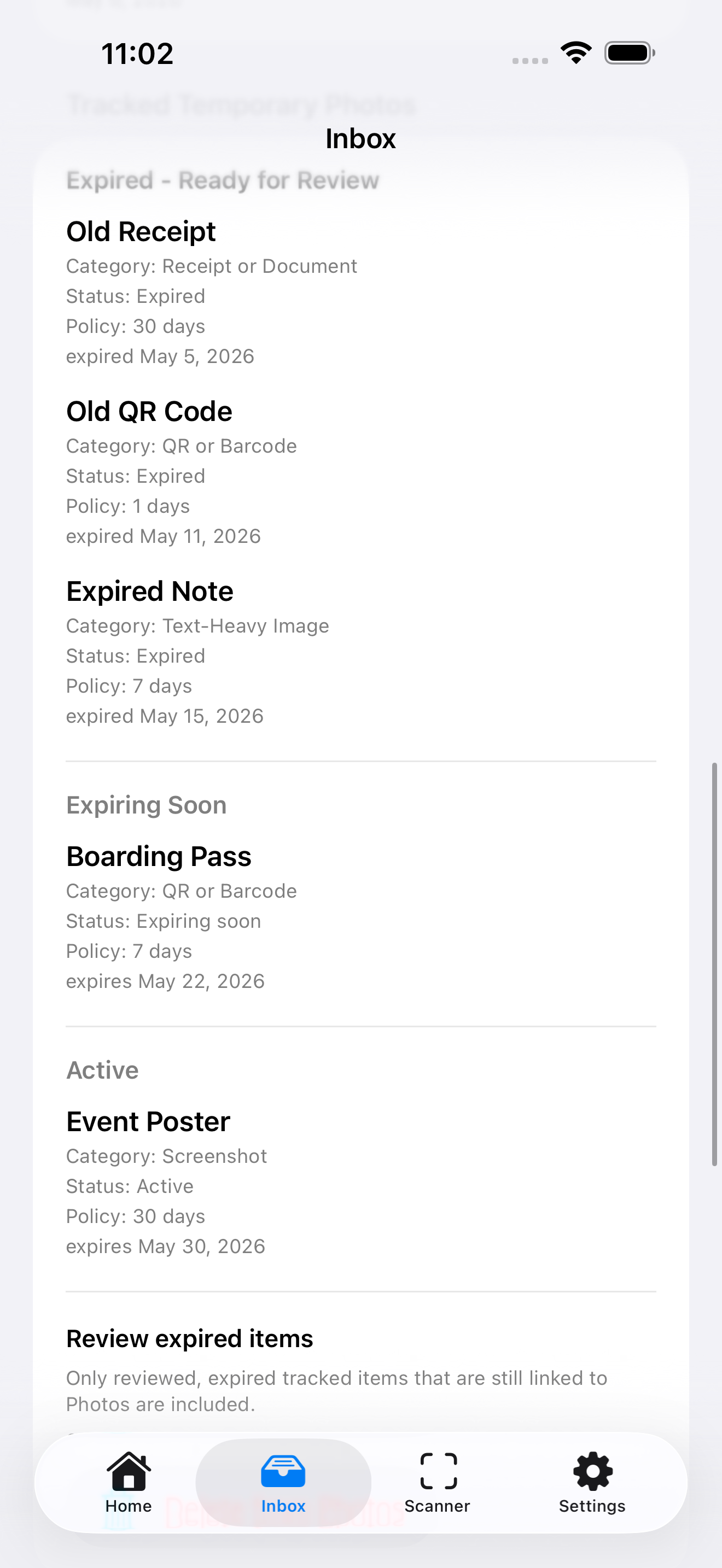
Separate expired, expiring-soon, and active items before entering the deletion review.
 View full size
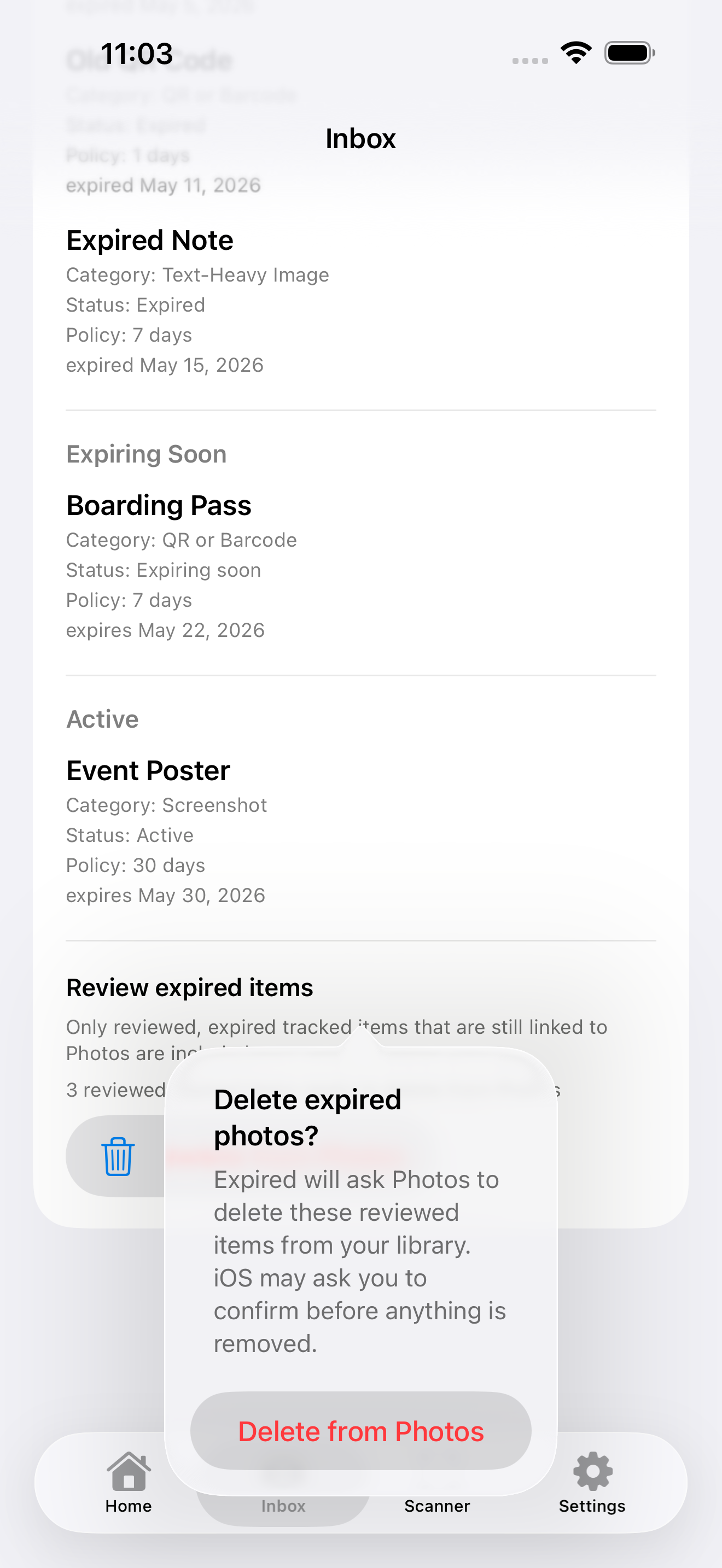
Review the eligible set and acknowledge the app-level warning before Photos receives a deletion request.
Product concept
Expired treats temporary screenshots as items with a lifecycle instead of permanent clutter or immediate waste.
Detection can propose a category and review policy, but only the user decides whether an item becomes temporary.
A screenshot can be essential today and disposable next week. Expiration metadata remembers when to reconsider it.
Expired stores asset identifiers and review state while the original media stays in the Photos library.
Architecture
Apple frameworks provide permission, image signals, local state, reminders, commerce, and deletion without an application account or backend.
Scanner image requests disable network access. Image bytes and recognized OCR text are not persisted as review metadata.
SwiftData stores the Photos identifier, category, policy, status, disposition, expiration date, and timestamps.
Expired presents its own destructive confirmation before PhotoKit performs the change and iOS may ask again.
The guarded Foundation Models adapter accepts only coarse signals, but normal app wiring currently keeps it in fallback mode.
Technology
Development
Scanning, decisions, lifecycle tracking, reminders, review-first deletion, purchase service paths, and privacy-safe test media exist. The latest test run has one model-dependent failure, while real-device, TestFlight, StoreKit, accessibility, and distribution work remain incomplete.
Implemented
Before release
Restore a deterministic green test suite, align the public scope with the screenshot-first scanner, complete supported-device and real-library validation, verify notifications, deletion, StoreKit, App Intents, and accessibility, then finish signing and App Store requirements.
Expired lab notes
Notes about the thinking, architecture, development, and decisions behind this work.
A guarded Foundation Models path was placed after the deterministic scanner and allowed to fail back to the standard result.
Synthetic fixtures made the product visible without exposing the contents of a real Photos library.
Eligibility, confirmation, failure handling, and reconciliation made deletion the final step of an explicit lifecycle.
The first scanner pipeline separated local signal analysis from the decision to track, keep, ignore, or dismiss an item.
Contact Burrito’s Labs
Questions, product feedback, or something worth exploring.